All help guides
Songs guide

Create your first song

Start with a title and a chord chart you already use. Stage Mate imports the chart and opens it in the full editor for you to refine.

1

Open Songs

Choose Songs from the main navigation. This is your band's shared song library.
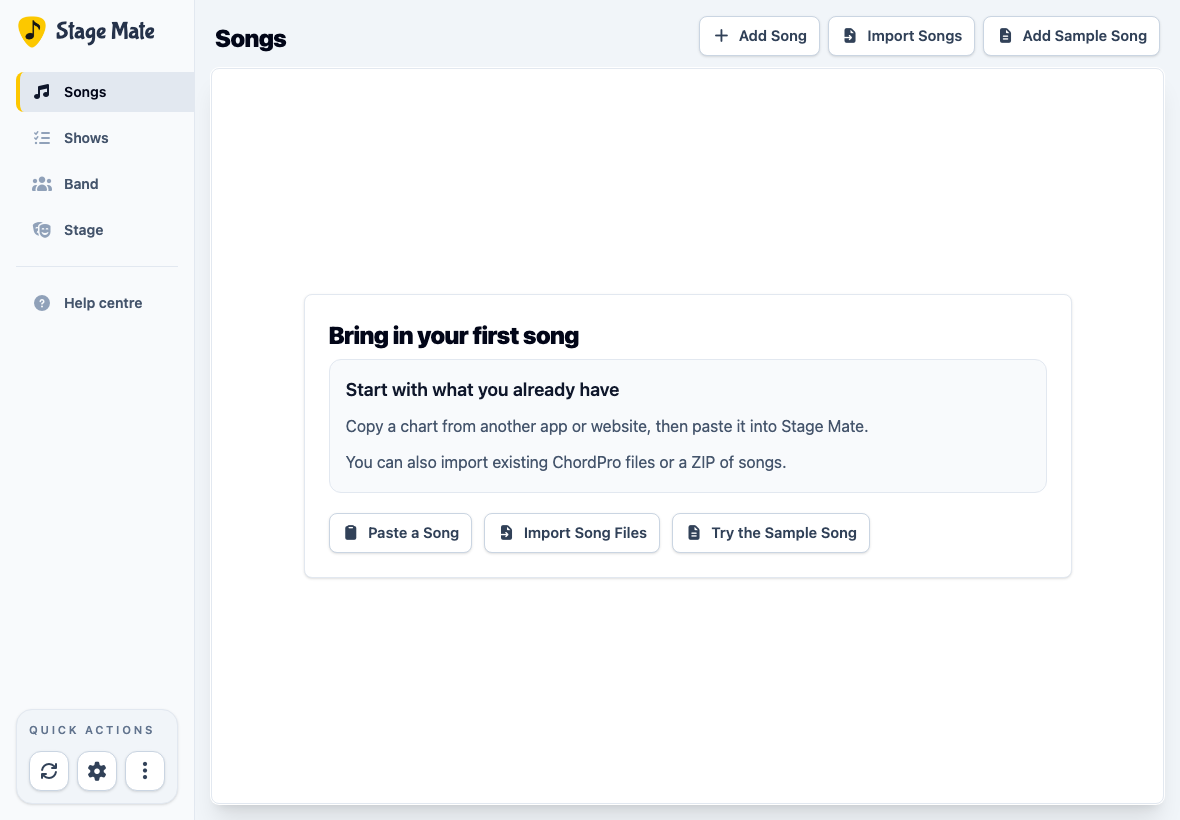
Stage Mate Songs page with Add Song, Import Songs and Add Sample Song controls
Songs lists the band's existing material and provides three ways to add more.
2

Start a new song

Choose Add Song. Use this option when you want to add one chart and review it immediately in the editor.

3

Add the title and paste your chart

Enter a clear Song Title. The artist or band name is optional. Paste or type the initial chart into Song Content.

Stage Mate recognises both ChordPro—where chords appear inside lyric lines—and familiar chordsheets with chords on the line above the lyrics.

Create Song form filled with a title, artist and short ChordPro chart
The starting chart can be brief. You can add sections, chords, lyrics and song details after creating it.
4

Create the song

Choose Create Song. Stage Mate imports the chart, adds the song to your band's library, and opens it in the song editor.

If Stage Mate finds unsupported ChordPro details, it shows an explanation first. Review it, then choose Create Song Anyway if you are happy to continue without those details.

5

Make the song ready for the band

Edit the chords and lyrics directly in the chart. Use Song Info for details such as key, BPM, time signature and duration. The other panels can wait until you need them.
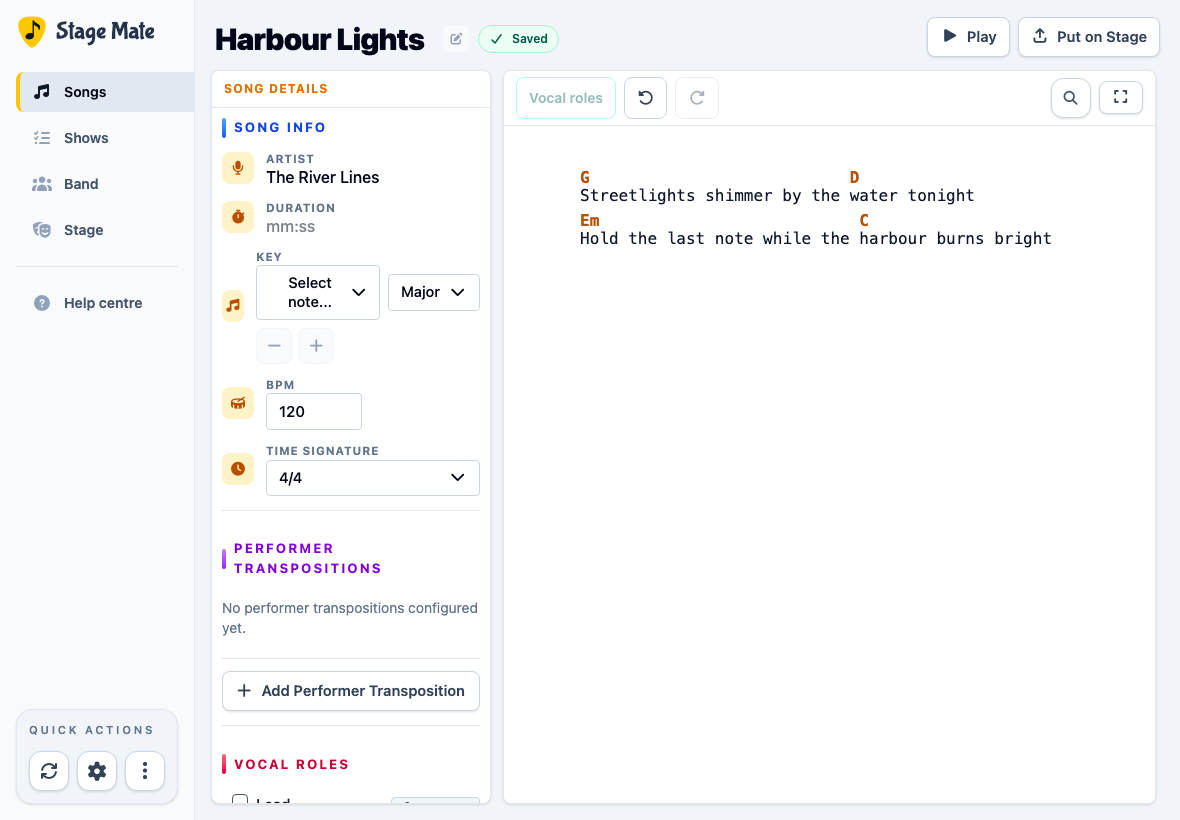
Changes save automatically. Check for the Saved indicator before you leave the editor.

Stage Mate song editor showing an imported song, Song Info and first-run editing guidance
The first-run guidance points to the essentials. You do not need to configure every panel before using the song.
Common questions

Frequently asked questions

These answers cover the most common questions when adding an individual song.

Do I need to know ChordPro?
No. You can paste an ordinary chordsheet with chords positioned above the lyrics. Stage Mate also accepts ChordPro, where chords such as [G] and [D] appear inside the lyric line.
Is the artist required?
No. Artist is optional, but adding it can make songs easier to recognise and organise later.
Can I paste a chart I already have?
Yes. Pasting an existing chordsheet or ChordPro chart is the quickest way to begin. Check that you have permission to use and share the material.
What should I do if import warnings appear?
Review the warnings before continuing. Stage Mate explains which ChordPro details it cannot import and lets you choose Create Song Anyway when the remaining result is still useful.
Do I need to press Save?
No. Changes in the song editor save automatically. Wait for the Saved indicator before leaving the page.