
Invite performers and manage Stage roles
Bring performers onto your band's Stage, change who leads, and let someone check another chart on their own device.
Share or replace the invitation
On Stage home, choose Invite Performers. Let performers scan the QR code or use Copy Link to send the invitation. The band can use the same invitation for rehearsals and gigs.
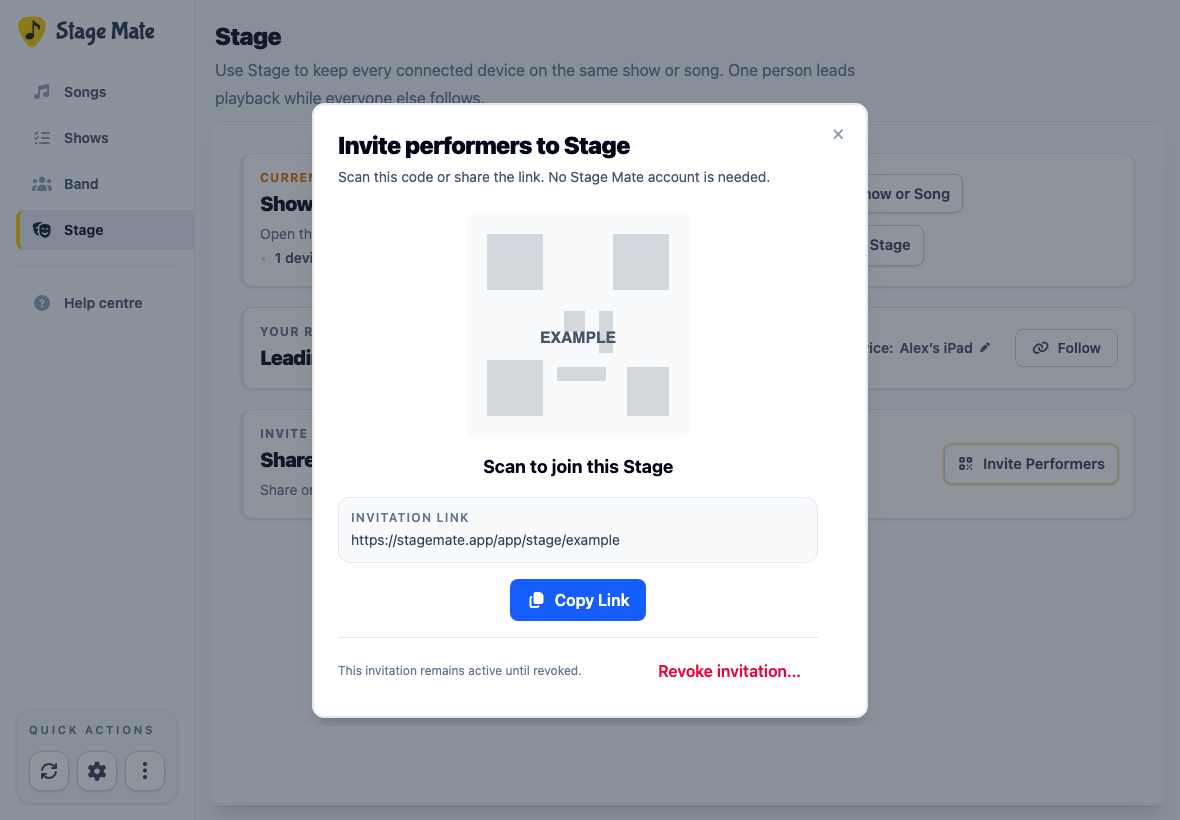
To remove access for devices using the old link, choose Revoke invitation… and confirm. Create and share a replacement link when you're ready.
Join or return as a guest
On the phone or tablet you'll play from, open the band's invitation and name your device. You'll join in Following mode. The leader's show, song, count-in, playback and scrolling are shared with following devices.
On a device that remembers the invitation, select Go to App and then Return to your Stage. You can also reopen the invitation link. Guests can join without an account.
Hand over the lead
On the device taking over, open the Stage role menu and choose Take the lead. Once the handover completes, that device controls the shared Stage and the previous leader becomes a follower.
Check another song on your own device
In the Stage role menu, choose Use independently to browse or play songs on your device while the band follows the leader. When you're ready to catch up, open the role menu and choose Resume following.