
All help guides
Shows guide

Build your first show

Turn songs from your band's library into a practical running order for rehearsal or performance.

1

Open Shows

Choose Shows from the main navigation. Shows are the band's saved set lists for rehearsals and performances.
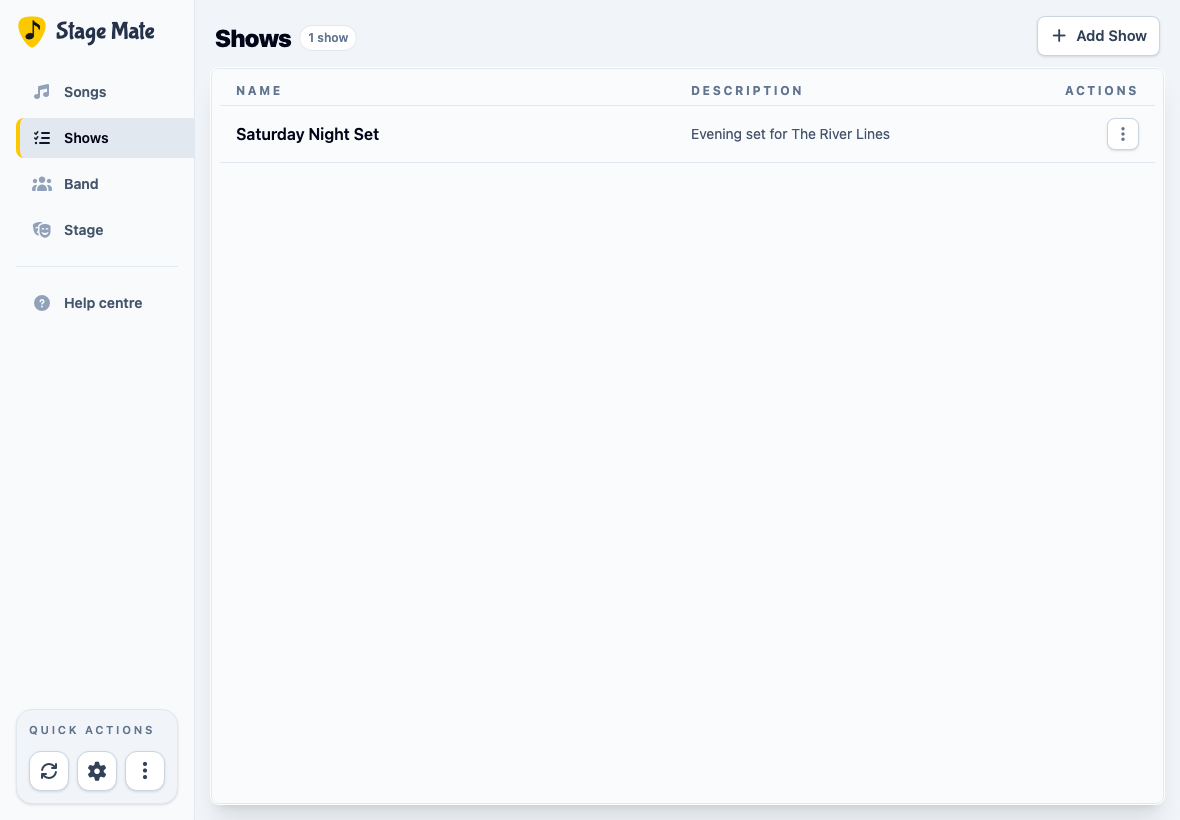
Stage Mate Shows page with an existing show and the Add Show control
The Shows page keeps each saved running order together.
2

Start a new show

Choose Add Show. A show can represent a gig, a rehearsal plan, or any other running order you want to keep.

3

Give the show a useful name

Enter a Show Name. Add an optional description for details such as the venue, date, musical direction, or purpose of the rehearsal.
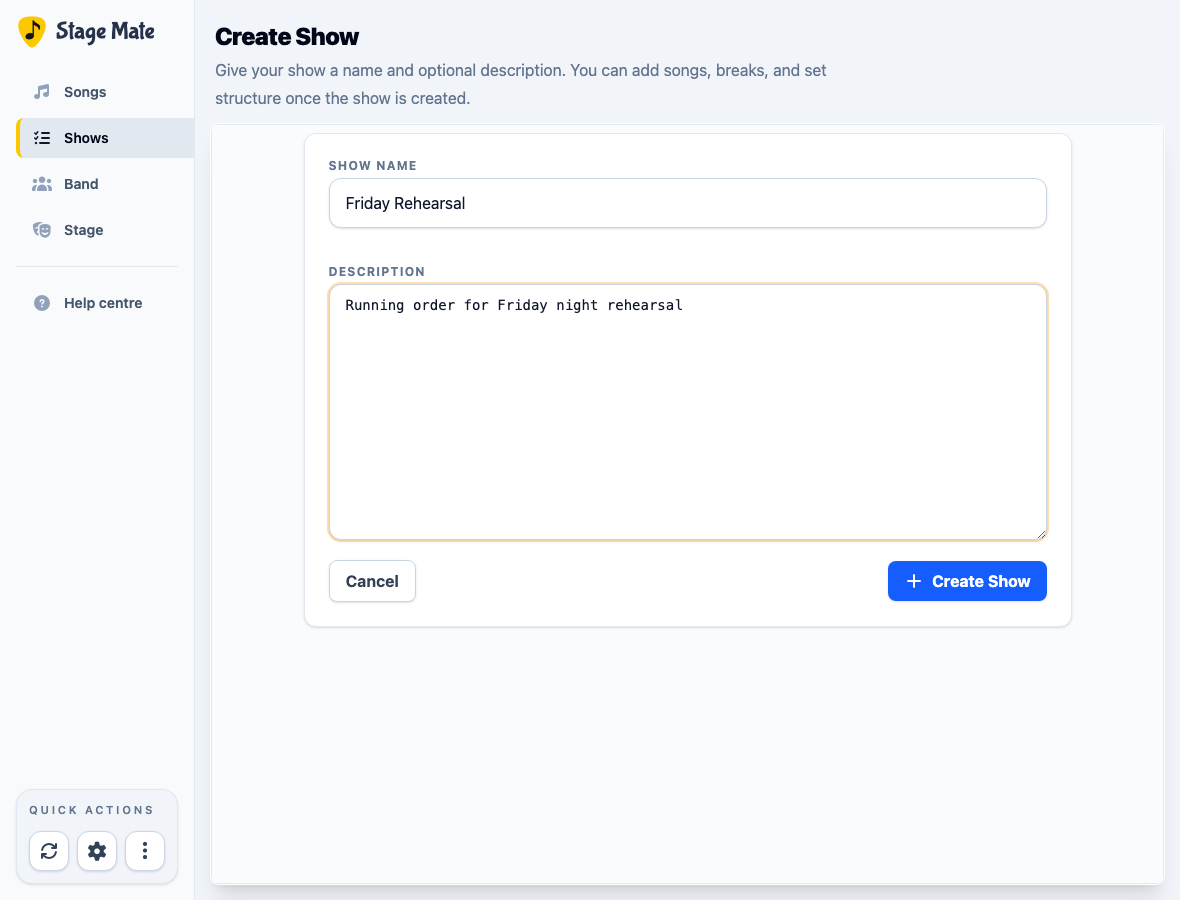
Create Show form filled with a show name and rehearsal description
The description is optional and can be changed later with Edit Show Details.

Choose Create Show to open the show editor.

4

Drag songs into Set 1

The show editor places All Songs on the left and the Show Sequence on the right. Drag songs into Set 1 in the order you want to play them.
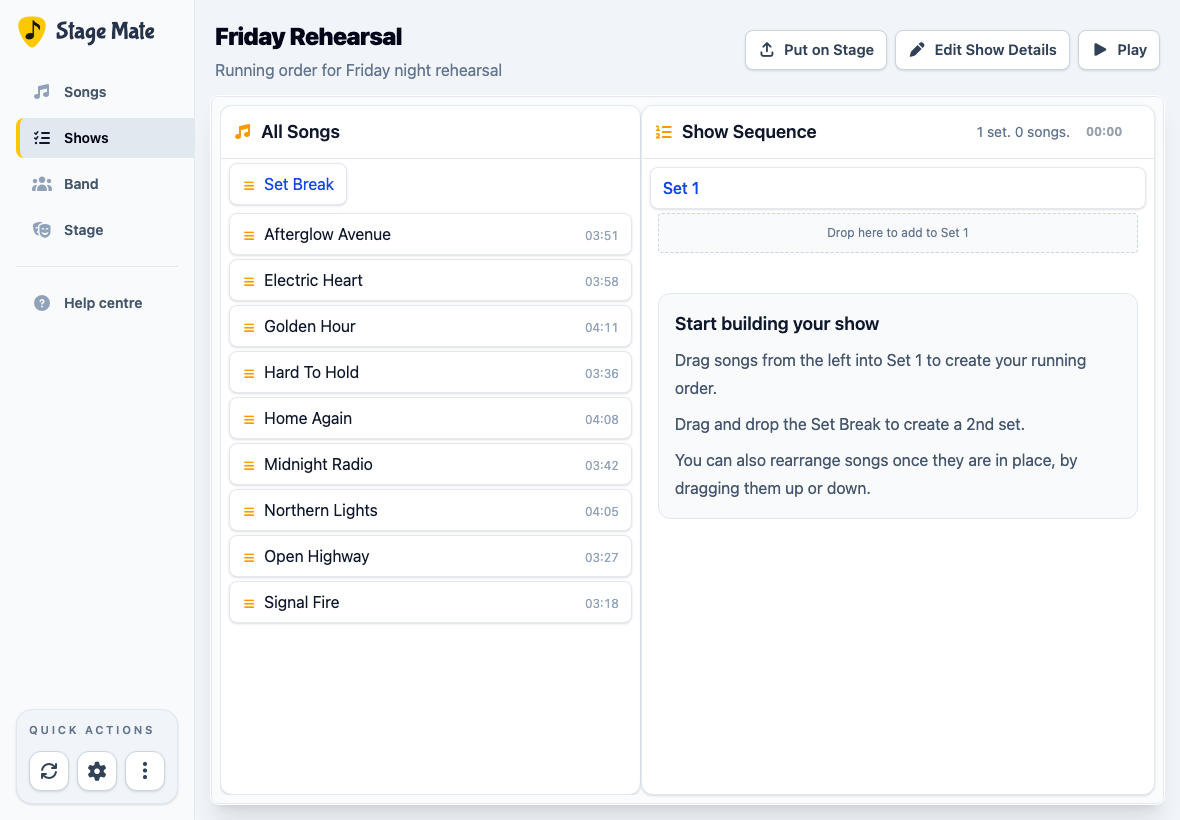
Empty Stage Mate show editor with All Songs and the Set 1 drop area
Start by dragging a song from All Songs into the Set 1 drop area.
5

Arrange the running order and add set breaks

Drag songs up or down to change the order. To create another set, drag Set Break from All Songs into the sequence, then add songs beneath it.

The Show Sequence header displays the number of sets and songs, along with the combined duration when song durations are available.
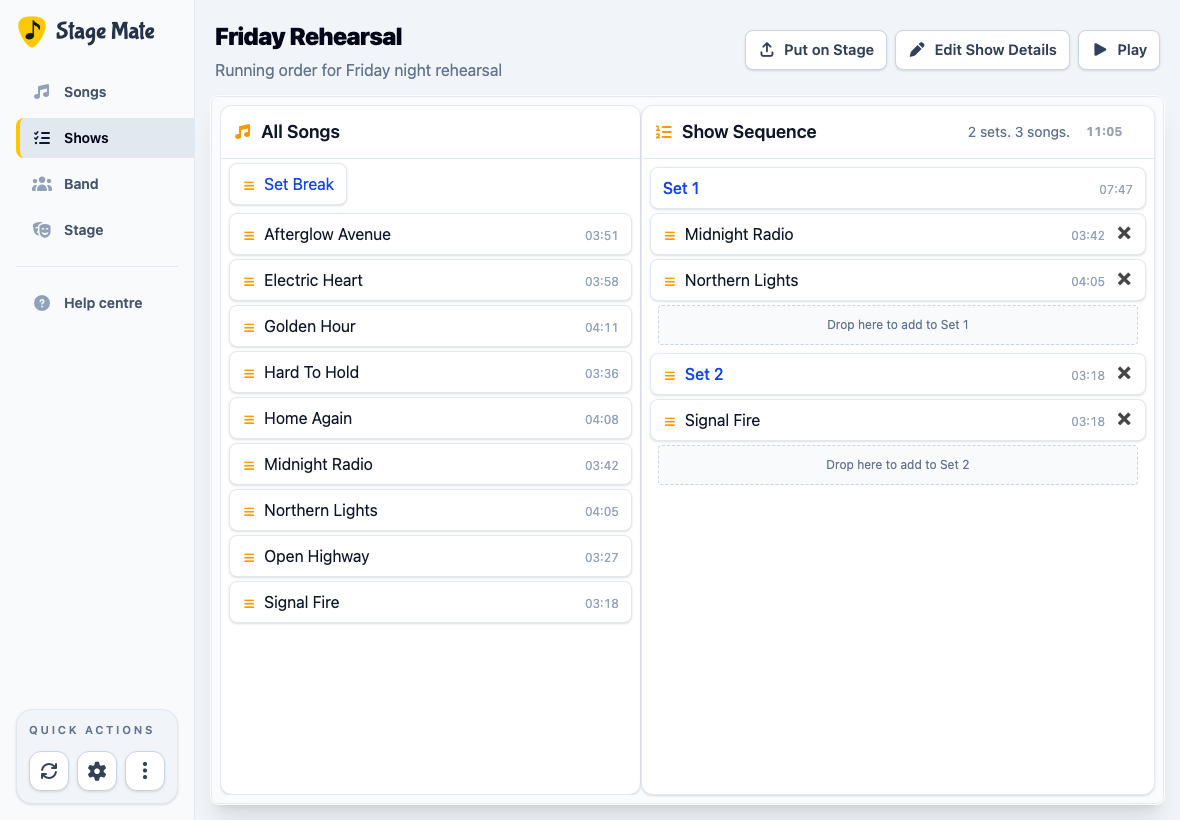
Stage Mate show editor with songs arranged into two sets
A Set Break divides one show into multiple sets while preserving a single running order.
6

Rehearse locally or put the show on Stage

Choose Play to open the show on this device. On Duo and Band plans, choose Put on Stage when you want following devices to use this running order.

Common questions

Frequently asked questions

These answers cover the main decisions when assembling a show.

Do I need all the songs before creating a show?
No. You can create an empty show and return to add or rearrange songs whenever you are ready.
What is the difference between a show and a set?
A show is the complete running order. A Set Break divides that running order into Set 1, Set 2, and any later sets.
Can I change the show name later?
Yes. Open the show and choose Edit Show Details to change its name or description.
How do I move a song?
Drag it to the new position in the Show Sequence. You can move songs within a set or from one set to another.
Can I use a show without putting it on Stage?
Yes. Choose Play to rehearse or perform from this device. Put on Stage is for sharing the show with devices that are following the band's Stage.