All help guides
Songs guide

Highlight vocal parts

Mark the exact words sung by the lead, harmony, backing or another vocal role so each performer can recognise their part quickly.

1

Switch to Lyric Highlighting

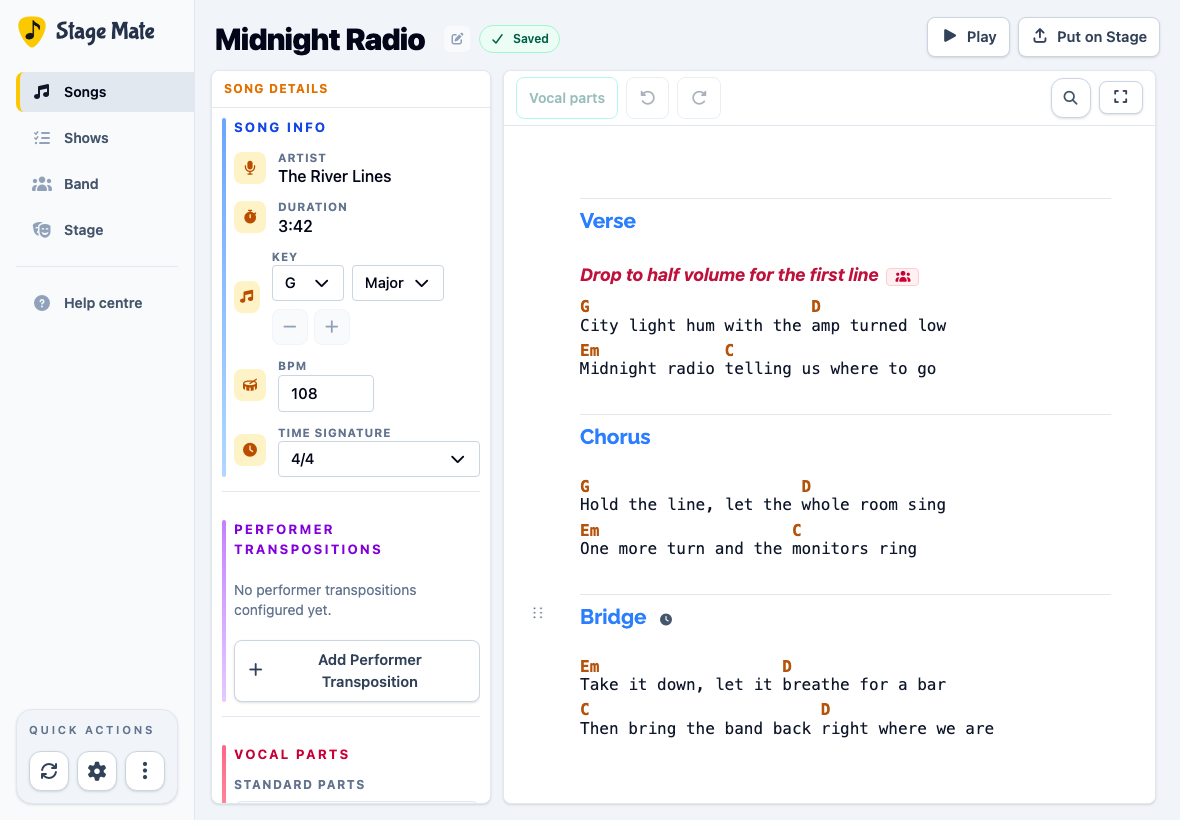
Open the song in the editor, then choose Lyric Highlighting above the chart. The darker workspace makes the role colours easy to see.

Stage Mate song editor in the dark Lyric Highlighting mode
Chords remain visible for context, while the lyrics become the active editing surface.
2

Select the words sung by one role

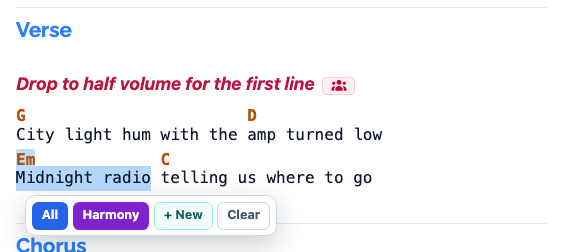
Drag across the exact lyric words belonging to the part. Keep the selection within one lyric line; you can mark another phrase separately.

3

Choose the vocal role

A small toolbar appears above the selection. Choose Lead, Harmony, Backing, All or one of your custom roles.

Lyric selection with a toolbar offering Lead, Harmony, Backing and All
The available choices come from the Vocal Roles configured for this song.
4

Mark the remaining vocal parts

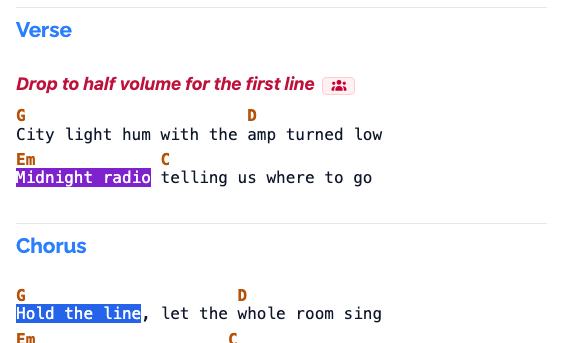
Continue through the song, selecting each phrase and choosing its role. Use highlighting where it helps a singer make a quick decision; ordinary shared lyrics can remain unmarked.

A phrase in the first verse highlighted blue for the Harmony role
The selected phrase now uses the Harmony role's blue treatment.
5

Remove a highlight that is wrong

Choose already-highlighted words to open their role badge, then choose the remove control. Select the words again if they should be assigned to a different role.

6

Wait for Saved and preview the song

Wait for Saved, then choose Play. Select a performer and confirm that the vocal markings are clear and useful in the performance view.

Common questions

Frequently asked questions

Lyric highlighting is most effective when it marks meaningful hand-offs and harmonies without colouring every word unnecessarily.

Why is Lyric Highlighting locked?
Lyric Highlighting is available on Duo and Band plans. The song also needs vocal roles so Stage Mate knows which labels and styles to offer.
Can I highlight only part of a lyric line?
Yes. Select exactly the words belonging to the role; the rest of the line remains unchanged.
Does highlighting change the chords?
No. It annotates lyric text only. The chords and underlying musical arrangement remain unchanged.
How do I remove the wrong highlight?
Choose the highlighted words, then use the remove control in the small role toolbar.