
Add performer instructions
Add practical instructions at the right place in a song, for everyone or only the performers who need them.
Open the song in the editor
Choose Songs and open the song. Instructions are edited directly in the document alongside the chords and lyrics.
Insert an instruction where it is needed
Use the plus control at the desired position and choose Instruction, or type / in an empty row and choose Instruction from the pop-up menu. Type a short instruction such as “Guitar enters”.
Instructions are standalone blocks. Put one below a section heading for a section-wide reminder, or between song lines for a precise entry. Use its handle to move it, or Turn into → Instruction to convert an existing row.
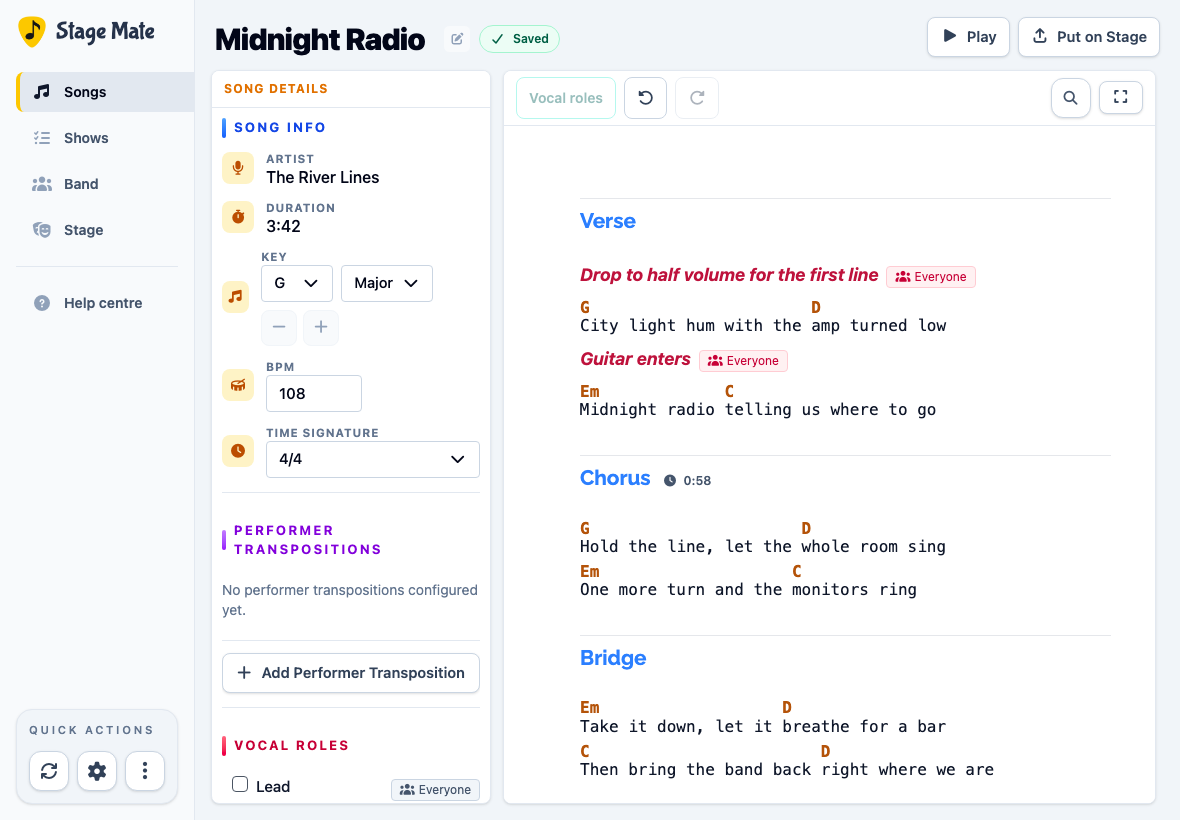
Choose who should see the instruction
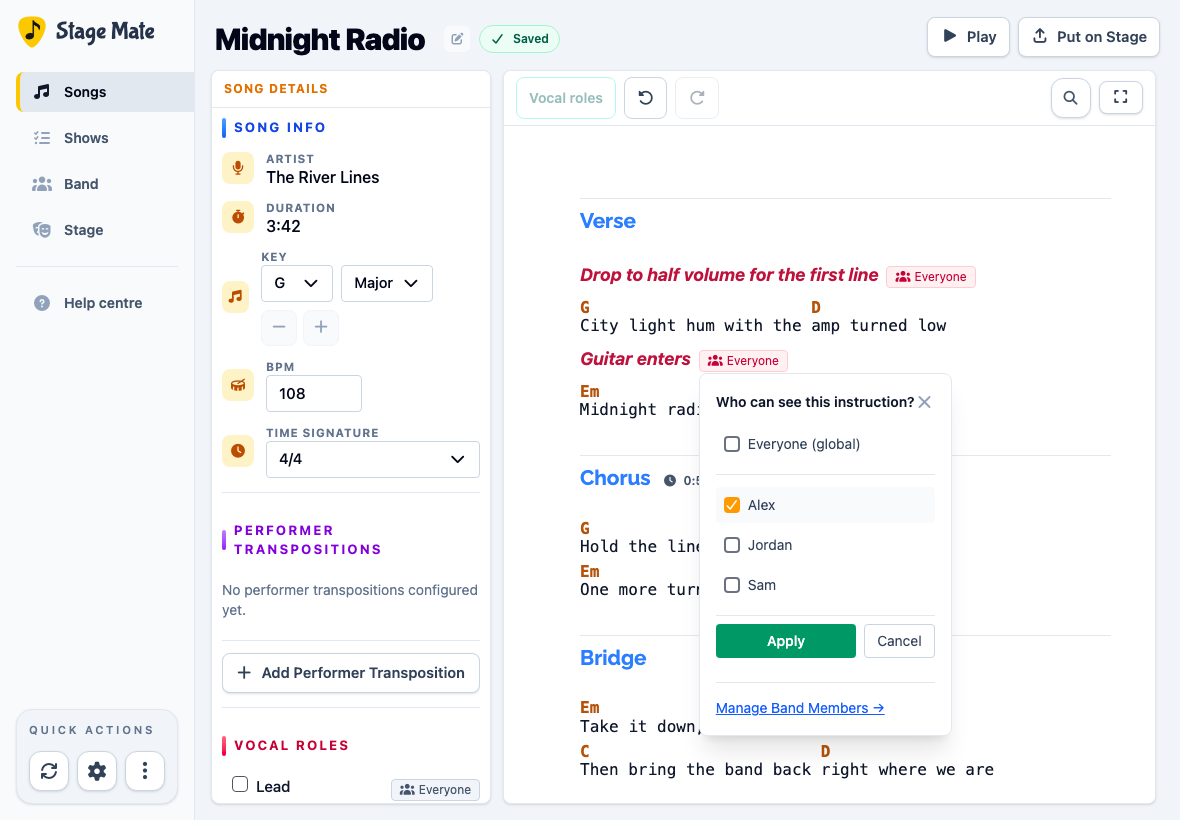
In performance view, instructions can be visible to all band members or only to one or a subset of band members.
By default, an instruction is visible to everyone. On Duo and Band plans, choose its Everyone badge, select the band members who should see it, then choose Apply. In performance view, it will appear only when one of those members is selected.
Check the instructions in performance view
Choose Play and select a performer. Check that the instructions they need appear at the right place in the song.
Frequently asked questions
Keep instructions short and place them where performers need to act on them.