
Play a show from start to finish
Work through your sets on one device or lead the band through the same running order on Live Stage.
Open the show
To play on one device, open the saved show from Shows and choose Play.
To play together on Live Stage, take the lead, put the show on Stage, and choose Open Live Stage. Devices in Following mode move through the show with you. For help getting everyone connected, see Run your first rehearsal with Stage.
Start a set and move between songs
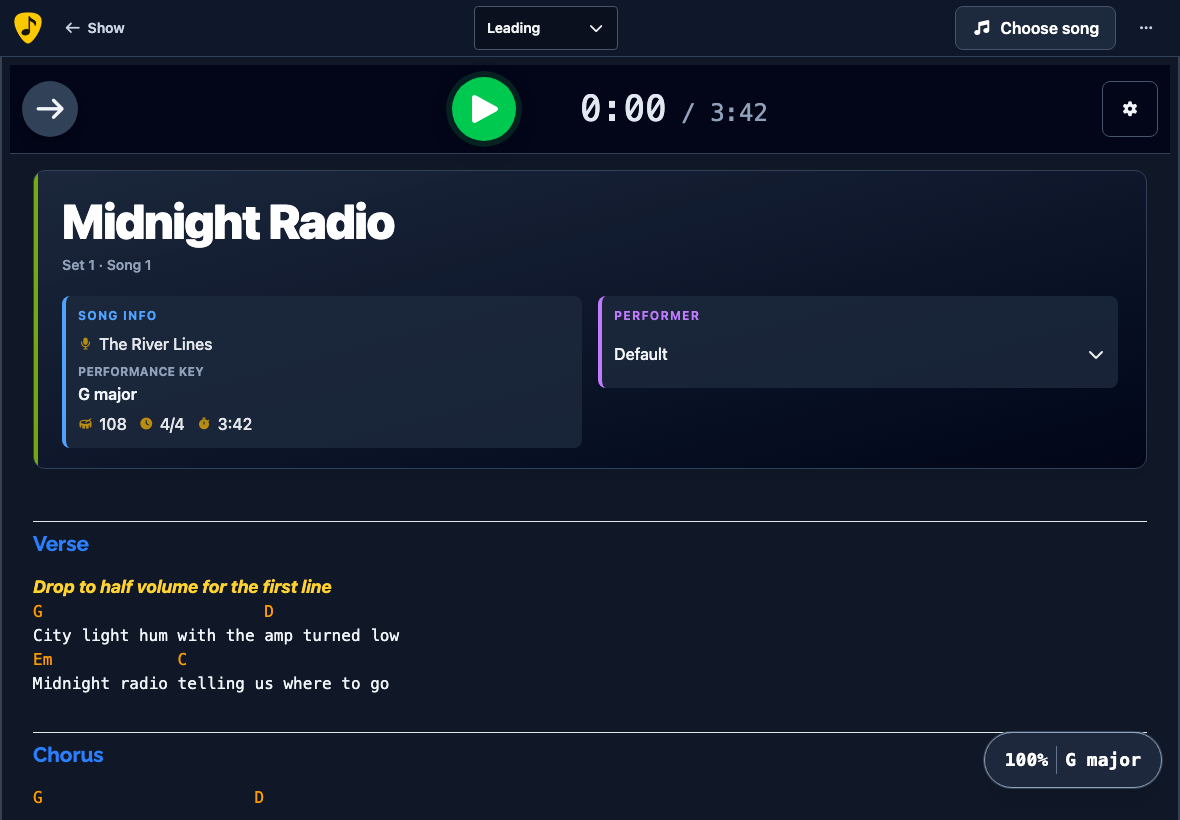
On the show overview, choose the play button beside the set you want to start. This opens the first song. Press Play when the band is ready. Use Previous and Next to move through the running order.
If you want to keep the room dancing with a song from elsewhere in your library, see Insert a song during a live show.
Take a set break or finish the show
Choose Next after the last song of a set to open Set Break. When the band is ready, choose Continue to Set and press Play on its first song. After the last song of the final set, Next opens End of Show.
Use auto-advance between songs
While a song from a show is open, open Player settings and enable Auto-advance to next song. This setting is off by default and saved in the browser. On Live Stage, the leading device's setting applies.
When the song ends, a ten-second countdown appears. Choose Cancel to stay on the current song or Next to advance right away. If you let the countdown finish, it takes the same step as Next. The next song opens ready for you to press Play, or you land on the set break or end-of-show screen.
On Live Stage, followers see the countdown and the leader controls when to move on.