
Set performer transpositions
Keep one shared arrangement while showing individual band members the key and chords that suit their instrument.
Find Performer Transpositions
In the Song Details sidebar, find Performer Transpositions. On a narrow screen, open Song Details first. A song starts with no personal transpositions configured.
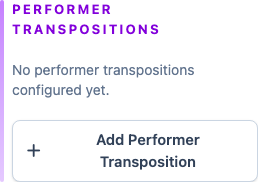
Add a band member
Click Add Performer Transposition, then choose a band member. Their personal transposition starts at 0 semitones, so their chords match the song's performance key.
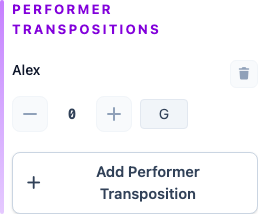
Move their chords up or down
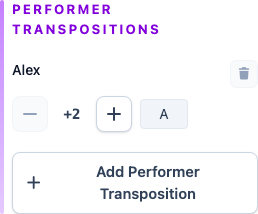
Use the minus and plus controls beside the band member. The signed number shows how many semitones their chords move from the performance key, and their resulting key appears beside it.
For example, if the performance key is G major, setting Alex to +2 moves their chords to A major.
Optionally view a band member's chords
On the Chord Display Panel, choose "Performance", then select the band member under Performer transpose to see their chords in the editor.
Frequently asked questions
Performer transpositions preserve one canonical song while adapting its chord display for individual people.